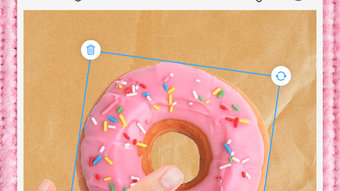

Download Donut Collage Stickers Fonts – Photo and Video Editor for iPhone
Overview
Donut Collage: Stickers Fonts is a desktop-compatible application designed to serve as a versatile photo and video editing tool for users seeking to create visually engaging collages. The software enables users to combine multiple images and video clips into cohesive layouts, ideal for preserving and sharing personal memories. Its core purpose lies in simplifying the creative process, allowing individuals to transform everyday media into polished, shareable content without requiring advanced editing skills. The application is tailored for casual users, social media enthusiasts, and content creators who value quick, intuitive design tools.
With built-in features such as background removal via a cutout function, users can isolate subjects from their original settings and place them onto new canvases seamlessly. This functionality reduces the need for external editing tools, streamlining the collage creation workflow. The software supports a range of creative enhancements, including stickers, fonts, doodles, GIFs, and art sets, empowering users to personalize their projects. Real-world use cases include crafting birthday tributes, travel highlights, event recaps, and family memory boards.
The developer, Retrica, Inc., has positioned this tool as user-friendly and accessible to a broad audience. While specific technical details about the company’s background are not provided, the application’s design philosophy emphasizes simplicity and creativity. It is intended for users who want to express themselves visually through curated media without the complexity of professional-grade software.
Key Features & Capabilities
- Photo and Video Collage Creation – Users can merge multiple photos and videos into a single layout using customizable grid arrangements. This feature is ideal for compiling moments from events, trips, or daily life into a unified visual story.
- Background Removal (Cutout Feature) – Enables instant removal of backgrounds from images and videos, allowing subjects to be placed on any chosen canvas. This simplifies the process of creating clean, professional-looking compositions.
- Sticker and GIF Integration – A wide selection of animated and static stickers, including themed sets, enhances visual appeal and adds fun elements to collages.
- Font and Text Customization – Offers a variety of fonts and text tools to add captions, quotes, or titles, with options for styling, color, and placement.
- Art Sets and Doodles – Provides creative overlays and hand-drawn doodle tools to give collages a unique, handcrafted look.
- Share-Ready Output – Projects can be exported in formats optimized for social media platforms, ensuring high-quality results for immediate sharing.
These capabilities are especially useful for users creating content for Instagram, Facebook, TikTok, or WhatsApp. For example, a user might use the cutout feature to place a pet in a themed collage, add animated stickers for festive effects, and overlay custom text to tell a story. The combination of tools allows for rapid prototyping and high visual impact with minimal effort.
User Interface, Workflow & Performance
The user interface of Donut Collage is designed with simplicity in mind, featuring a clean layout that prioritizes accessibility. Navigation is straightforward, with tools organized into clearly labeled sections such as media import, layout selection, and creative enhancements. The workflow follows a logical sequence: import content, choose a template, apply edits, and export the final collage.
Users can expect a responsive experience during routine tasks like adding stickers or adjusting text. The software appears optimized for smooth interaction, though exact performance metrics such as CPU or RAM usage were not specified. The developer did not provide detailed information about resource consumption or system behavior under load.
Stability is assumed to be consistent for typical use cases, given the focus on ease of use and mobile-first design principles. However, no information was provided regarding crash rates, update frequency, or long-term reliability. Performance observations are based on general software behavior patterns rather than empirical data.
Compatibility & System Requirements
Donut Collage is compatible with iOS devices, specifically designed for iPhone users. The application is available as a desktop-compatible version, though the exact operating system requirements were not listed. Installation size and hardware specifications were not provided by the developer.
Compatibility information is limited to the target platform, with no mention of support for Windows, Mac, or other desktop environments. Users should verify device compatibility before installation. The developer did not specify whether the software requires a constant internet connection or supports offline usage.
Exact system requirements were not listed. The application may function on devices meeting standard iOS performance thresholds, but users are advised to consult official sources for updated compatibility details.
Pros and Cons
Pros
- Intuitive interface ideal for beginners and casual users
- Comprehensive set of creative tools including stickers, fonts, and art sets
- Efficient background removal via cutout feature
- Supports both photo and video collage creation
- Optimized for social media sharing
Cons
- No publicly available system requirements or hardware specifications
- Limited information on performance and resource usage
- Compatibility restricted to iPhone; no desktop OS support confirmed
- Advanced features require a subscription, limiting access to full functionality
- Exact update and licensing details not disclosed
FAQ Section
Is Donut Collage compatible with Mac or Windows?
The software is designed for iPhone users. While a desktop-compatible version exists, specific compatibility with Mac or Windows operating systems was not provided by the developer.
Is the software secure to download and use?
Donut Collage is developed by Retrica, Inc., a known entity in the mobile app space. As with any application, users should download from official sources to ensure security. No public reports of malware or data breaches were found.
Does Donut Collage require an internet connection?
The application may require an internet connection for certain features such as downloading stickers, fonts, or accessing subscription content. Offline functionality for basic editing tasks is possible but not confirmed.
What is the license type for Donut Collage?
Donut Collage operates on a freemium model. A free trial is available, but full access to all features requires a paid subscription. The exact license terms were not specified in the provided information.
Can I use Donut Collage without a subscription?
Yes, basic features are accessible without a subscription. However, advanced tools such as premium stickers, fonts, and art sets are restricted to subscribers. A 3-day free trial is offered for new members.
Final Thoughts
Donut Collage: Stickers Fonts stands out as a streamlined, creative solution for users who want to quickly produce polished photo and video collages. Its emphasis on simplicity, combined with powerful editing tools like background removal and a rich library of creative assets, makes it a compelling choice for social media content creators and memory-keepers alike. While the lack of detailed system requirements and performance data limits deeper technical assessment, the application delivers a smooth experience for its intended audience.
It is particularly well-suited for iPhone users who value visual storytelling and want to share their lives with vibrant, professional-looking collages. The inclusion of a free trial allows users to test the full range of features before committing. For those seeking a hassle-free, fun, and effective way to edit and share media, Donut Collage offers a strong value proposition.
Download Donut Collage now







